Unlocking Creative Flow with the Abstract Pattern Brush for Procreate
Digital art often feels like a balancing act between precision and spontaneity. For many creators, the blank canvas is less intimidating than the pressure to create something unique from scratch every single time. This is where specialized tools step in to bridge the gap between technical skill and artistic vision. The Abstract Pattern Brush for Procreate has emerged as a favorite among illustrators, designers, and hobbyists who want to inject texture, depth, and organic complexity into their work without spending hours on repetitive manual detailing.
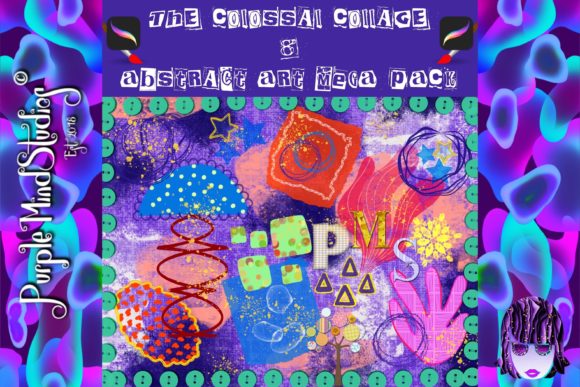
Unlike standard brushes that mimic traditional media like pencils or watercolors, an abstract pattern brush is designed to generate intricate, non-repeating designs with a single stroke. It transforms a simple swipe of the Apple Pencil into a complex tapestry of shapes, lines, and textures. When you download this tool, you typically receive a .zip format file containing the brush preset, ready to be imported directly into your Procreate library. But beyond the technical ease of installation, the real value lies in how it reshapes your workflow and expands your creative possibilities.
Transforming Backgrounds and Textures
One of the most immediate applications for this type of brush is in background creation. Whether you are designing social media graphics, book covers, or digital wallpapers, backgrounds can often feel flat or sterile. Using an abstract pattern brush allows you to lay down a foundational layer of visual interest instantly. Instead of manually painting hundreds of dots or dashes, you can create a rich, textured backdrop in seconds.
Consider a graphic designer working on a promotional poster for a music festival. They need a vibe that is energetic and chaotic but still cohesive. By using the abstract pattern brush on a separate layer set to "Multiply" or "Overlay," they can add gritty, organic textures that give the digital design a tactile, printed feel. This technique adds depth and prevents the artwork from looking too clean or computer-generated. It is a practical solution for professionals who need to meet tight deadlines without sacrificing aesthetic quality.
Elevating Fashion and Surface Design
The fashion and textile industry relies heavily on pattern making, a process that can be notoriously time-consuming. Traditionally, creating seamless repeats requires precise mathematical planning and vector software. However, the Abstract Pattern Brush for Procreate offers a more intuitive approach for initial concepting and even final designs for certain types of prints.
Surface designers can use these brushes to sketch out ideas for scarves, leggings, or home decor items like throw pillows. The organic nature of abstract patterns works exceptionally well for bohemian or modern minimalist styles. Because the brush generates variation naturally, the resulting patterns feel hand-drawn and authentic rather than rigidly mechanical. This is particularly useful for artists who want to sell their designs on print-on-demand platforms. The ability to quickly iterate on different colorways and pattern densities means you can test more ideas in less time, increasing your chances of finding a bestseller.
Enhancing Digital Journaling and Scrapbooking
For the growing community of digital journalers, aesthetics play a huge role in the enjoyment of the practice. Many users turn to Procreate to create custom stickers, washi tapes, and page decorations. An abstract pattern brush is an invaluable asset here. It allows journalers to create unique borders, dividers, and decorative elements that match their specific mood or theme for the day.
Imagine you are documenting a trip to the coast. Instead of searching for stock images of waves or shells, you can use an abstract brush that mimics fluid, organic shapes to create a custom header for your entry. This personalizes your journal in a way that pre-made assets cannot. Furthermore, because the brush is digital, you can easily adjust the size, opacity, and color to fit perfectly within your layout. It empowers users who may not feel confident in their drawing abilities to still produce professional-looking spreads.
Streamlining Concept Art and Ideation
Concept artists and illustrators often face the challenge of "blank page syndrome." Starting a new character design or environment sketch can be daunting. Abstract pattern brushes can serve as a creative prompt or a starting point. By randomly stamping or stroking abstract shapes onto the canvas, artists can find unexpected forms within the chaos—a technique known as pareidolia.
You might see a cluster of abstract lines that resembles foliage, which then inspires the design of a fantasy forest. Or perhaps a dense patch of texture looks like armor plating, sparking an idea for a sci-fi character. This method breaks the mental block of having to define every line intentionally from the start. It encourages playfulness and experimentation, which are crucial for maintaining creativity over long projects. The brush becomes less of a tool for finishing and more of a partner in the brainstorming process.
Practical Considerations Before You Begin
While the benefits are clear, getting the most out of your Abstract Pattern Brush for Procreate requires some understanding of how digital brushes interact with layers and settings. First, consider the resolution of your canvas. Abstract patterns with fine details may look muddy if used on a low-resolution document. Always ensure your canvas size is appropriate for your intended output, especially if you plan to print your work.
Secondly, think about layer management. Because these brushes can create dense visuals, it is easy to overwhelm your composition. A good practice is to use them on separate layers so you can adjust the opacity or blend mode later. Experimenting with blend modes like "Screen," "Soft Light," or "Color Dodge" can dramatically change how the pattern interacts with the colors beneath it, offering subtle textures rather than bold statements.
It is also important to note that while these brushes save time, they should not replace fundamental design principles. Balance, contrast, and hierarchy still apply. Using an abstract pattern everywhere can make a design feel cluttered and chaotic. Use the brush strategically to highlight focal points or to add interest to negative space, rather than covering every inch of the canvas.
Navigating the Download and Installation
When you purchase or acquire this resource, you will likely receive a .zip format file. This is a standard compression format that keeps the file size small and ensures all components are kept together. To use it, you will need to unzip the file on your device. If you are using an iPad, you can do this directly through the Files app. Once extracted, you will find the .brushset file, which can be tapped to automatically open in Procreate.
This straightforward delivery method ensures that you spend less time troubleshooting file formats and more time creating. It is compatible with recent versions of Procreate, ensuring smooth performance on most iPad models. However, always check the specific compatibility notes provided by the creator, especially if you are using an older version of the software.
Ultimately, the Abstract Pattern Brush for Procreate is more than just a digital stamp; it is a catalyst for creativity. Whether you are a professional designer looking to speed up your workflow, a fashion enthusiast experimenting with textiles, or a journaler adding personal flair to your pages, this tool offers versatility and ease. It invites you to play, experiment, and discover new visual languages without the barrier of technical difficulty. By integrating it into your toolkit, you open up a world of textural possibilities that can elevate your digital art to new heights.