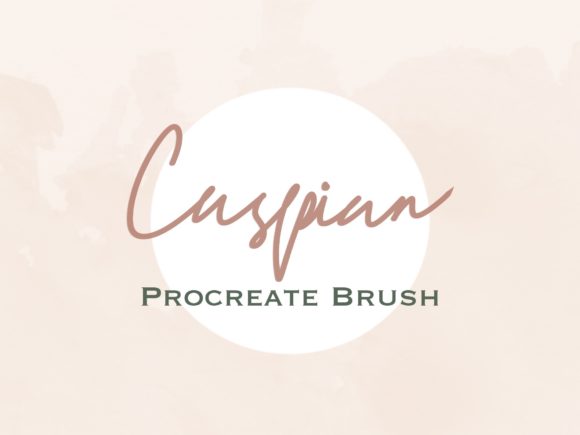
Caspian Procreate Shadow Brush: Effortless Depth for Digital Lettering
Hi! Welcome to my shop. If you have ever spent hours manually drawing drop shadows for your digital lettering, only to realize the perspective is slightly off or the opacity is inconsistent, you know how frustrating that process can be. The Caspian Procreate Shadow Brush was created to solve exactly that problem. This download features a beautiful custom shadow brush ready to be used in your Procreate app, offering a perfect and easy method for creating lettering designs with professional-looking depth.
Digital illustration often suffers from looking too "flat." While vector tools have their place, the organic feel of hand-lettering requires texture and dimension to truly pop on a screen or printed page. Adding shadows manually is tedious. You have to duplicate layers, offset them, blur edges, and adjust transparency. It breaks your creative flow. This brush changes that dynamic by allowing you to paint shadows as naturally as you paint the letters themselves.
Why Realistic Shadows Matter in Digital Design
In the crowded world of social media graphics, print-on-demand products, and digital planners, visual hierarchy is everything. A shadow does more than just look nice; it tells the viewer’s eye what is important. It separates foreground text from background textures, creating a sense of space. For creators aged 20 to 50 who are balancing side hustles with full-time jobs or managing small businesses, efficiency is not just a bonus—it is a necessity.
The Caspian Procreate Shadow Brush allows you to maintain that organic, hand-drawn aesthetic without sacrificing speed. Whether you are designing a logo for a local coffee shop or creating inspirational quotes for Instagram, the ability to add consistent, soft shadows instantly can elevate your work from amateur to polished professional.
Real-World Use Cases for Creators and Entrepreneurs
This tool is not limited to one type of artist. Its versatility makes it valuable across various creative and professional settings. Here is how different users can integrate this brush into their workflow:
- Social Media Managers and Bloggers: When creating quote graphics or story highlights, legibility is key. Placing white text over a busy photo often fails. By using this shadow brush, you can add a subtle dark outline or drop shadow behind your text, ensuring it remains readable against any background without needing complex layer masks.
- Etsy Sellers and Print-on-Demand Artists: If you sell digital planners, stickers, or t-shirt designs, your mockups need to look tangible. Adding realistic shadows to your digital lettering gives the illusion of physical ink on paper or fabric. This psychological cue can increase perceived value and drive sales.
- Educators and Course Creators: Teachers creating digital worksheets or presentation slides often use hand-lettered headers to make content feel approachable. Consistent shading helps organize information, guiding students through lessons with clear visual cues.
- Freelance Graphic Designers: Client revisions often request "more pop" or "better contrast." Instead of rebuilding your composition, you can quickly enhance existing lettering with the Caspian brush, saving billable hours and keeping clients happy.
How to Get Started with Your Download
Getting this tool into your creative arsenal is straightforward, but it requires specific hardware. Please note that this is a digital download designed exclusively for the iPad ecosystem. You will receive one .brushset file. There is no physical product shipped, so ensure you have access to your device immediately after purchase.
Here is the simple installation process:
- Once you download the files, open your iPad Files app.
- Navigate to the Downloads section where the file is stored.
- Find the .brushset file and tap on it once.
- Procreate will automatically launch and add the brush to your library.
It really is that simple. Within seconds, you can open a new canvas and start testing the pressure sensitivity and flow of the brush. It integrates seamlessly with Procreate’s existing gesture controls, meaning you do not need to learn a new interface.
Things to Consider Before You Buy
While the Caspian Procreate Shadow Brush is a powerful time-saver, it is important to have realistic expectations. This is a specialized tool, not a magic wand that fixes poor composition. To get the best results, consider the following:
Light Source Consistency: Even with an automated brush, you must decide where your light is coming from. If your shadow falls to the bottom right, ensure all elements in your design follow that same logic. Inconsistent lighting breaks the illusion of depth.
Layer Management: For the most flexibility, use the shadow brush on a separate layer beneath your main lettering. This allows you to adjust the opacity, color, or blur of the shadow later without affecting the original text. Experiment with colors other than black; deep blues or warm browns often create more sophisticated shadows than pure gray.
Device Compatibility: Remember, this must be used with the Procreate app on an iPad only. It will not work on iPhone, Android tablets, or desktop software like Photoshop or Illustrator. Ensure your iPad model supports the version of Procreate you are running.
Respecting Creative Work
As a creator, you understand the value of intellectual property. Please note that you should not claim this brush set as your own, copy, share, or resell any of these brushes in any form. This license is for your personal and commercial use in creating end-products (like logos, prints, or posts), but the tool itself remains the property of the designer. Supporting independent developers ensures that more high-quality, niche tools like this continue to be made available to the community.
Elevate Your Digital Toolkit
The difference between a good design and a great one often lies in the details. Shadows provide weight, context, and polish. By incorporating the Caspian Procreate Shadow Brush into your routine, you remove the technical friction of manual shading, allowing you to focus on creativity and message. Whether you are a hobbyist exploring lettering for the first time or a seasoned marketer optimizing ad creatives, this tool offers a reliable, efficient solution for adding depth to your work.
If you encounter any issues during installation or have questions about usage, please reach out. Customer support is available to ensure your experience is smooth. Follow me for more beautiful Procreate tools that are designed to simplify your workflow and enhance your artistic expression. Happy creating!